About TranscrtiptVideo
What is TranscrtiptVideo?
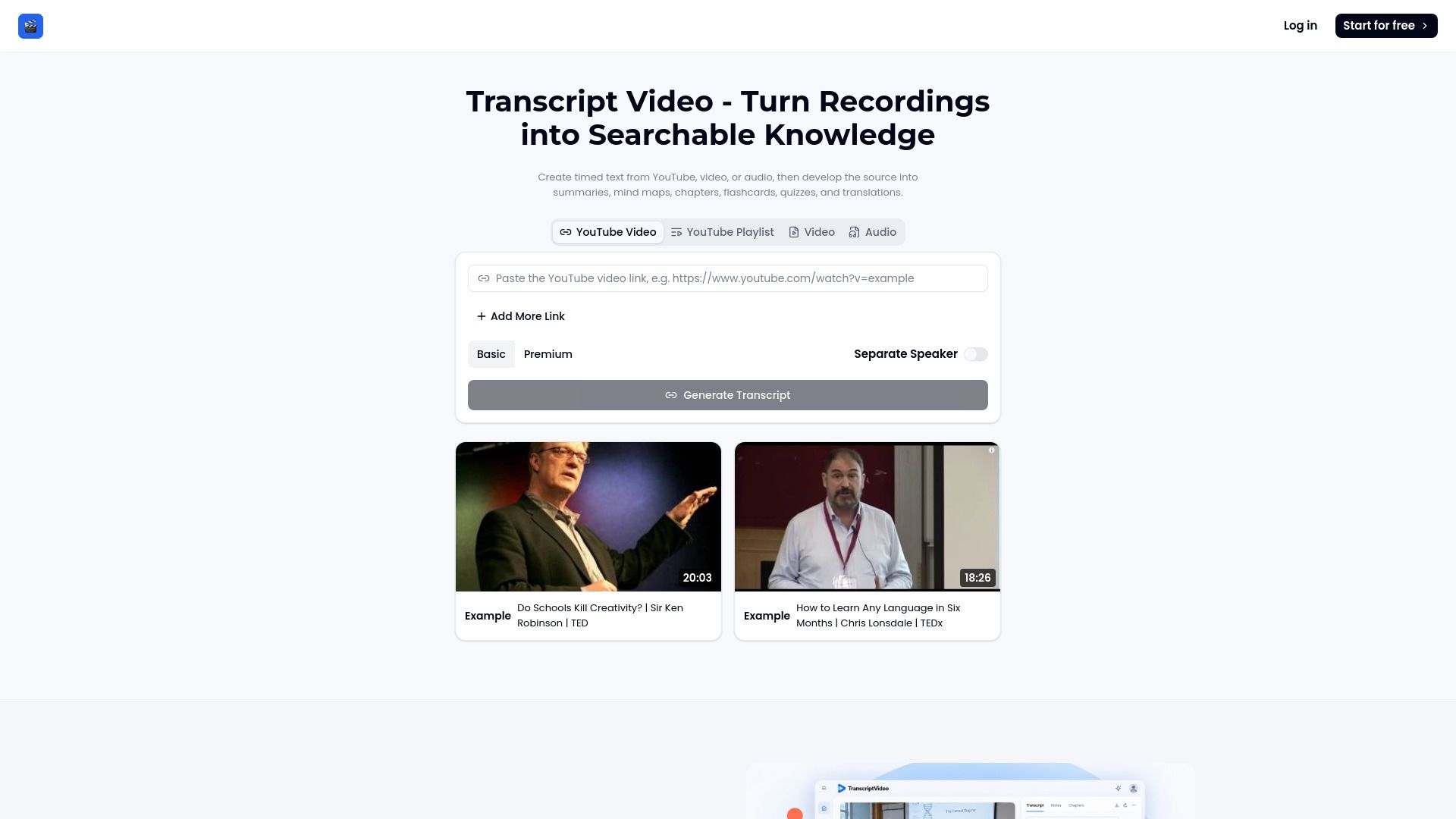
TranscriptVideo transforms spoken content into readable, searchable text while maintaining time references to the original source. This functionality allows users to create various educational and organizational materials such as summaries, mind maps, flashcards, quizzes, chapters, infographics, and translations from the generated transcripts.
The platform streamlines the process of converting recordings into usable notes through a simple three-step workflow: adding the source, generating timed text, and developing the material. This makes it an invaluable tool for anyone looking to enhance their learning or presentation capabilities.
TranscrtiptVideo Features
TranscriptVideo is an advanced AI Video Generator that transforms spoken content into readable, searchable text while maintaining time references to the original source. This functionality allows users to create various educational and informative materials such as summaries, mind maps, flashcards, quizzes, chapters, infographics, and translations from the generated transcripts.
One of the standout features of TranscriptVideo is its integration of multiple leading AI models within a single interface, which enhances the range of styles, quality, and results achievable. The platform supports a chat-based creation flow, music video tools, and a library of preset effects, making it a comprehensive solution for the entire creative process from concept to finished video.
Transforms spoken content into searchable text with timestamps.
Supports creation of educational materials like summaries and flashcards.
Integrates multiple AI models for diverse video styles and quality.
Offers a chat-based creation flow for user-friendly experience.
Includes tools for music videos and a library of preset effects.
Why TranscrtiptVideo?
TranscriptVideo offers a unique value proposition by combining multiple leading AI video generation models into a single, user-friendly platform. This versatility allows users to explore a wide range of styles and quality without being confined to a single approach. The chat-based creation flow, music video tools, and a library of preset effects further enhance the creative process, making it easier to transform ideas into polished videos.
Some of the key benefits of using TranscriptVideo include:
Rapid video production without the need for extensive editing experience.
Enhanced engagement rates, as evidenced by users who have seen significant improvements in their campaigns.
Ability to create searchable transcripts that facilitate easy reference and review of content.
Support for multiple file types, making it versatile for various media sources.
How to Use TranscrtiptVideo
To get started with TranscriptVideo, follow a simple three-step workflow that transforms your unstructured recordings into organized, usable notes. First, add your source by pasting a YouTube link, submitting a playlist, or selecting a video or audio file from your device. Next, generate timed text as TranscriptVideo identifies speech, organizes it into readable passages, and links lines to useful timestamps. Finally, develop your material by searching the transcript video, reviewing the recording, and creating summaries, chapters, quizzes, or visual notes.
This streamlined process allows users to efficiently turn recordings into working knowledge, making it easier to study and reshape material from a single connected workspace. Here are some key benefits of using TranscriptVideo:
Transforms spoken content into readable, searchable text.
Maintains time references to the original source for context.
Facilitates the creation of summaries, mind maps, flashcards, and quizzes.
Supports translation of generated transcripts into different languages.
Ready to see what TranscrtiptVideo can do for you?and experience the benefits firsthand.
Key Features
How to Use
Visit the Website
Navigate to the tool's official website.
Pros & Cons
What's good
What's not good
Pricing
- Create up to {count} music generation credits per month
- Protect your privacy; generated music is only visible to you
- Email support
- Personal use
- Supports high quality audio output
- 150 Videos
- 4 credits/5s
- No Watermark
- Early Access to New Features
- 24/7 Support
- 450 Videos
- 12 credits/10s
- Commercial License Included
- Private Content
- Upscaling
- 1350 Videos
- 24 credits/10s
- No Watermark
- Early Access to New Features
- 24/7 Support