About Reverse Video Search
What is Reverse Video Search?
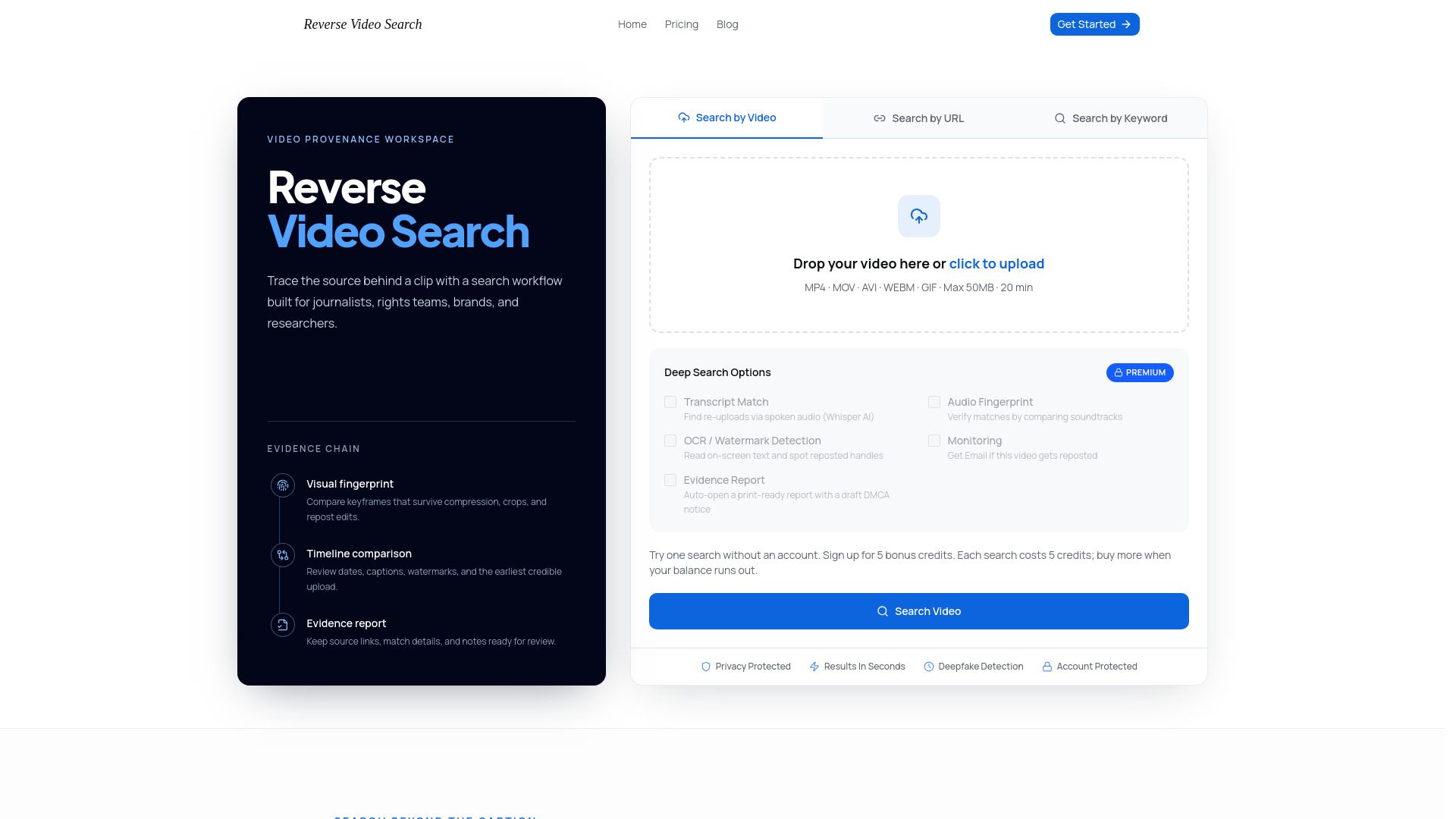
Reverse Video Search is a powerful tool that compares the content of a video—including frames, audio, spoken words, and on-screen text—to identify related copies or earlier sources. This method is particularly useful when titles, captions, or languages have changed, allowing users to trace the origins of a video clip effectively.
Users can initiate a Reverse Video Search by uploading a video, providing a public video URL, or entering descriptive keywords. The search process is designed to be privacy-first, ensuring that users are informed about file limits, retention, and deletion controls before uploading sensitive footage. Additionally, the tool combines various signals such as visual fingerprints, audio, transcripts, and watermarks to enhance matching accuracy and reduce false positives.
Fast matching and careful conclusions to streamline the search process.
Privacy-first approach with clear policies on encryption and data handling.
Ability to verify claims and document evidence for copyright protection.
Useful for creators, journalists, brands, and researchers to trace video origins and monitor content.
Reverse Video Search Features
Reverse Video Search is a powerful tool that compares the content of a video—including frames, audio, spoken words, and on-screen text—to identify related copies or earlier sources. This functionality is particularly beneficial when titles, captions, or languages have changed, allowing users to trace the origins of video content effectively.
Key features and capabilities of Reverse Video Search include:
Ability to search using videos, links, keywords, or screenshots.
Visual fingerprinting that ranks matches by similarity, dates, source quality, and confidence.
Fast matching with a focus on careful conclusions to reduce repetitive searching.
Privacy-first approach with clear policies on encryption, retention, and deletion of sensitive footage.
Support for various user groups, including creators, journalists, brands, and researchers, to monitor and verify content.
This tool serves as a focused starting point for human verification, enabling users to compare source pages, dates, captions, edits, and accounts before making informed decisions about the matches found.
Why Reverse Video Search?
Reverse Video Search offers numerous benefits for various users, including brands, researchers, and creators. By utilizing this tool, users can efficiently monitor campaign assets, verify claims, and trace the origins of viral footage. The value proposition lies in its ability to streamline the search process, reducing the time spent on manual checks across multiple platforms while providing reliable results that can be further validated.
Fast matching and evidence gathering for legal and research purposes.
Enhanced accuracy through the combination of visual fingerprints, audio, transcripts, and other signals.
Privacy-first approach with clear policies on data handling and retention.
Ability to document unauthorized content and prepare for licensing discussions.
Supports journalists in fact-checking and tracing misleading information.
Overall, Reverse Video Search serves as a powerful tool that not only simplifies the verification process but also enhances the integrity of content management and protection efforts across various industries.
How to Use Reverse Video Search
To get started with Reverse Video Search, begin by uploading a short, clear clip or providing a public URL. You can also enter descriptive keywords related to the footage. The more distinctive the frames and phrases, the better the results you will receive. This initial step is crucial as it sets the foundation for the search process.
Once you have submitted your video or keywords, Reverse Video Search will extract signals from the content, including keyframes, audio, transcripts, subtitles, logos, and on-screen text. This comprehensive analysis allows the tool to compare your input against indexed pages and public platforms, helping you find earlier or matching copies of the video.
Upload videos or images in various formats (PNG, JPG, WEBP).
Receive email updates on the status of your search.
Access detailed results for comparison, including source URLs and upload dates.
Ready to see what Reverse Video Search can do for you?and experience the benefits firsthand.
How to Use
Visit the Website
Navigate to the tool's official website.
Pros & Cons
What's good
What's not good
Pricing
- 20 credits each month
- 4 searches included
- Unused credits do not expire
- Email support
- 90 credits each month
- 18 searches included
- Unused credits do not expire
- Email support
- 500 credits each month
- 100 searches included
- Unused credits do not expire
- Email support