About Plus AI Presentation Maker
What is Plus AI Presentation Maker?
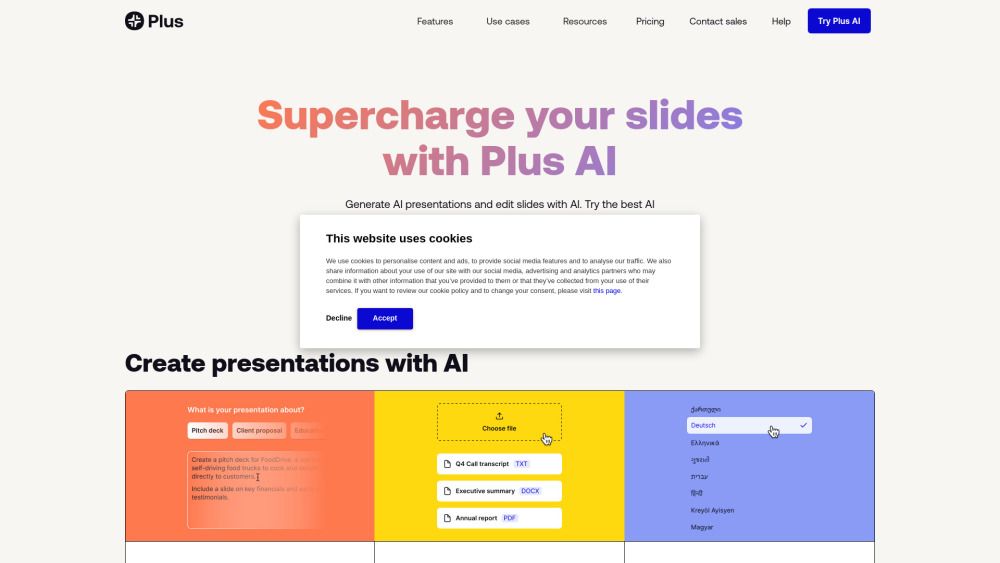
Plus AI Presentation Maker is an innovative tool designed to enhance the process of creating presentations using artificial intelligence. It allows users to generate presentations from text prompts or documents, making it easy to create professional-quality slides without the need for extensive design skills. The platform supports multiple languages, enabling users to work in their preferred language and ensuring accessibility for a global audience.
With Plus AI, users can seamlessly integrate their presentations into Google Slides and PowerPoint, eliminating the need for additional applications. The tool offers a variety of features that streamline the presentation creation process, including:
Text to presentation and document to presentation capabilities
AI-driven editing tools for refining content
Custom branding options for personalized presentations
AI image and chart generation to enhance visual appeal
Live snapshots and Chrome extension for easy access
Plus AI Presentation Maker Features
Plus AI Presentation Maker is designed to enhance the presentation creation process by leveraging artificial intelligence. It offers a variety of features that streamline the development of presentations, making it suitable for users across different sectors, including sales, marketing, education, and consulting. Key functionalities include the ability to generate presentations from text prompts, convert documents into presentations, and edit slides with AI assistance. Additionally, users can create custom branded presentations and utilize an AI image generator and chart maker to enrich their slides.
Text to presentation conversion
Document to presentation transformation
AI-driven slide editing
Custom branding options
AI image and chart generation
Integration with Google Slides and PowerPoint
With Plus AI, users can focus more on content and strategy rather than the mechanics of slide creation. The platform also includes features like a presentation narrator and live snapshots, which further enhance the user experience. Whether for creating pitch decks, educational materials, or strategy reports, Plus AI aims to empower content creators by simplifying the presentation-making process.
Why Plus AI Presentation Maker?
Plus AI Presentation Maker offers a range of benefits that empower users to create high-quality presentations efficiently. By leveraging advanced AI technology, users can generate entire presentations from simple prompts, allowing them to focus more on their core business activities rather than spending excessive time on slide creation. This tool is particularly advantageous for professionals in various fields, including sales, marketing, and education, as it streamlines the presentation-making process.
Some key advantages of using Plus AI Presentation Maker include:
Text to presentation and document to presentation capabilities, making it easy to convert existing content into engaging slides.
Custom branding options that allow users to maintain their unique identity in presentations.
AI image and chart generation, enhancing the visual appeal of slides without the need for extensive design skills.
Support for multiple languages, making it accessible to a global audience.
Features like the "Remix" tool that reformats existing slides into new layouts, providing fresh perspectives on content.
How to Use Plus AI Presentation Maker
To get started with Plus AI Presentation Maker, simply sign up using your Google or Microsoft account. Once you're logged in, you can create presentations by starting from a prompt where you describe your presentation in a few sentences or choose from one of the available presets. This intuitive approach allows you to quickly generate content tailored to your needs.
Plus AI seamlessly integrates with Google Slides and PowerPoint, enabling you to create and edit presentations directly within these platforms without the need for additional applications. Here are some key features to help you get started:
Text to presentation: Convert your text into a structured presentation.
Document to presentation: Upload files like PDFs or Word documents to generate slides.
AI editing tools: Refine your presentation with AI assistance.
Custom branding: Personalize your presentations with your brand elements.
Multi-language support: Create presentations in nearly any language.
Ready to see what Plus AI Presentation Maker can do for you?and experience the benefits firsthand.
Key Features
How to Use
Visit the Website
Navigate to the tool's official website.
Pros & Cons
What's good
What's not good
Pricing
- Unlimited AI generation in Google Slides and PowerPoint
- Create single slides
- Rewrite and remix slides with AI
- Everything in the Basic plan
- 100K+ character prompts
- Document uploads (PDF, docx, txt)
- Generate AI images
- Collaboration with unlimited team members
- Everything in the Pro plan
- Upload your own logo
- Customize colors and fonts
- Add custom AI instructions
- Collaboration with unlimited team members
- Custom branded template(s)
- Compatible with all Plus AI design tools
- Custom prompt presets
- Fine-tuned content models
- White-glove set up and support
Plus AI Presentation Maker Traffic Analysis
Frequently Asked Questions
Alternatives to Plus AI Presentation Maker
Studocu Global
A platform for accessing shared study materials globally.

Suno
Suno is an innovative platform that enables users to create stunning original music in seconds using artificial intelligence. With its user-friendly interface, individuals can easily craft their own masterpieces, share them with friends, and explore a diverse range of music from artists around the globe. Suno empowers creativity for everyone, from casual singers to aspiring professionals.
Jotform AI Agents
Jotform AI Agents revolutionizes customer service by enabling businesses to respond instantly to customer inquiries anytime and anywhere. With its seamless integration capabilities and user-friendly interface, it enhances operational efficiency and improves customer satisfaction. This innovative solution empowers organizations to provide timely support, ensuring they stay connected with their clients effectively.
Lovescape AI
Create Your AI Girlfriend for Chatting

Manus
Manus is a versatile AI agent designed to transform thoughts into actions, streamlining tasks in both professional and personal settings. Its primary value lies in its ability to manage various responsibilities efficiently, allowing users to relax while it handles their to-do lists. With Manus, users can experience increased productivity and peace of mind, knowing that their tasks are being completed seamlessly.
HealCycle
HealCycle is a comprehensive app designed to support individuals dealing with hormonal imbalances, mood swings, and symptoms of PMS or PMDD. It offers personalized symptom insights and science-backed resources, along with a 24/7 AI companion for emotional support, empowering users to take control of their health journey. With HealCycle, users can gain valuable knowledge and tools to enhance their well-being and manage their cycles effectively.