About Osloq
What is Osloq?
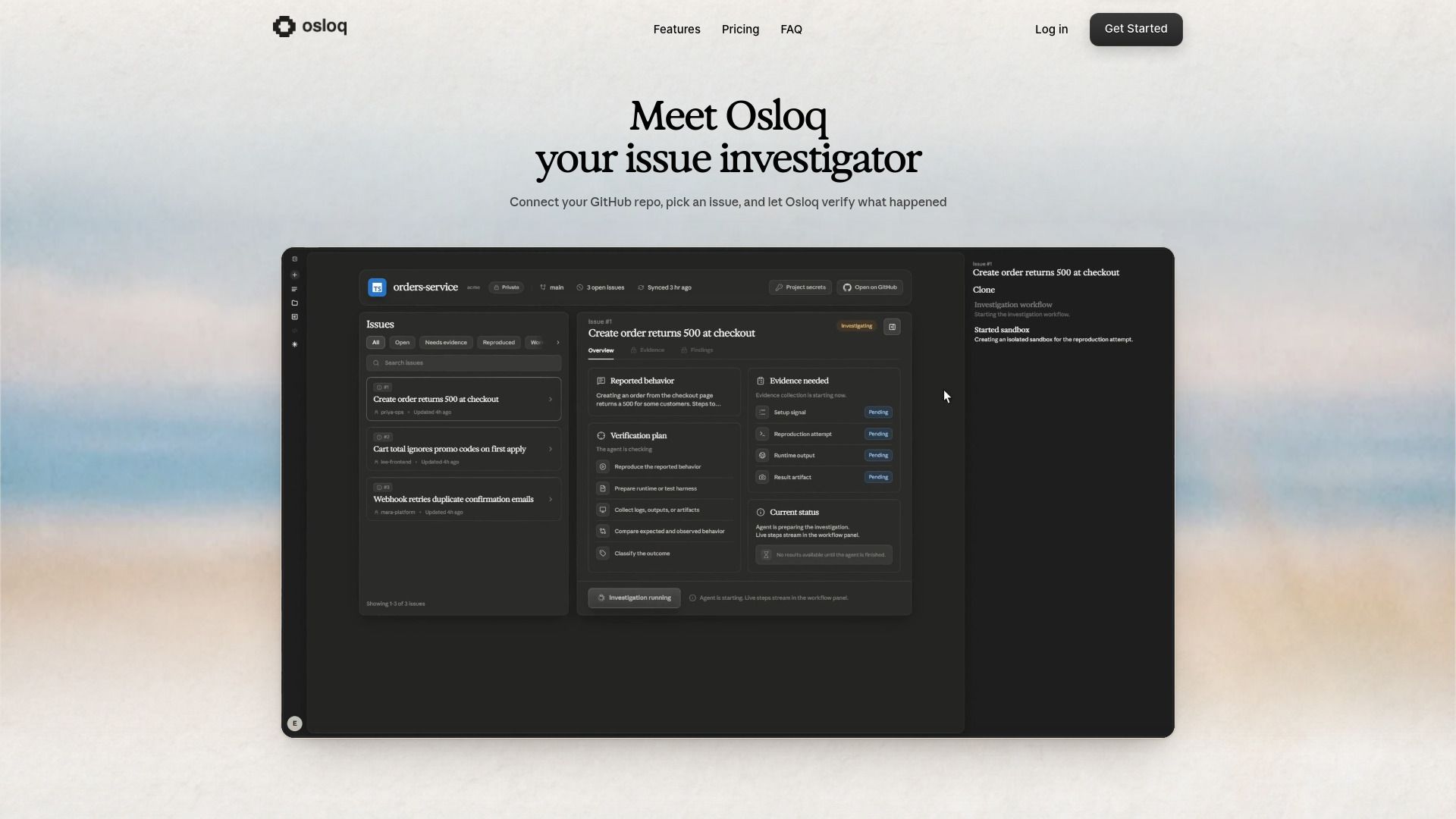
Osloq is an innovative AI tool that effectively reproduces GitHub issues within isolated sandboxes, providing evidence-backed insights. By automating the process of issue investigation, Osloq streamlines your debugging efforts, allowing developers to focus on solving problems rather than reproducing them.
With Osloq, you can effortlessly clone your repository and generate comprehensive reports that include logs and screenshots. This ensures that you have a clear understanding of what transpired during the issue, enhancing your development workflow.
Osloq Features
Osloq comes packed with powerful features designed to simplify your debugging process. Key functionalities include the ability to run your repository in a secure, isolated environment, ensuring that your code remains confidential while still delivering detailed reports.
Comprehensive Investigations:
Osloq traces relevant code paths and captures evidence such as logs and screenshots.
Flexible Secret Management:
Users can provide optional secrets to reproduce issues in real environments, enhancing accuracy.
Multi-language Support:
Osloq accommodates various programming languages including JavaScript, TypeScript, Python, and Go.
In addition, Osloq operates with minimal permissions by connecting through a GitHub App, ensuring your repositories remain secure while allowing for effective issue resolution.
Why Osloq?
Choosing Osloq means opting for a tool that prioritizes efficiency and security in debugging. With the capability to investigate issues in real-time while keeping your code safe, Osloq stands out as a reliable solution for developers.
The platform's automated nature reduces manual effort, significantly speeding up the process of identifying and resolving bugs. Furthermore, with both free and paid plans, you can select an option that fits your team's needs and growth.
How to Use Osloq
Getting started with Osloq is simple. First, connect your GitHub repository through the GitHub App, then select an issue for investigation. Osloq will automatically clone your repo, execute the necessary code flows, and compile a verified report that details the findings.
Ready to try?
How to Use
Visit the Website
Navigate to the tool's official website.