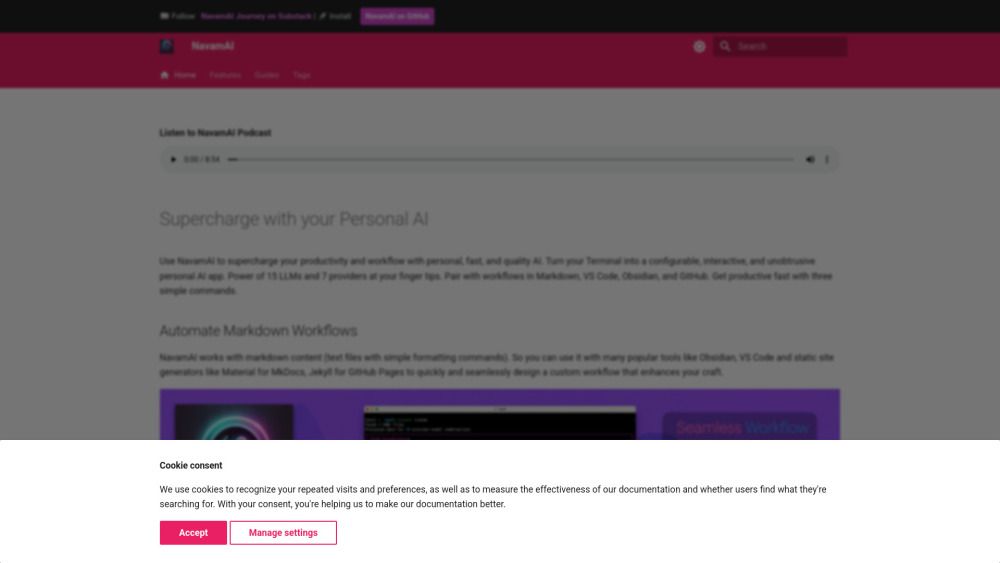
About NavamAI
What is NavamAI?
NavamAI is a user-friendly platform designed to enhance your personal AI experience with minimal setup. It allows users to quickly get started with a handful of powerful commands, which can be easily customized through a single configuration file to align with individual workflows. With sensible defaults, NavamAI ensures that users can dive right in and begin utilizing its capabilities without extensive prior knowledge.
As users become more comfortable, NavamAI offers extensive configurability and extensibility, allowing for adjustments to commands, models, providers, prompts, model parameters, folders, and document types. This flexibility empowers users to take control of their AI workflows, ensuring privacy and alignment with personal intents. The interface operates through a simple command prompt, providing a seamless and efficient experience without the need for additional applications or context switching.
Simple command-based interaction for ease of use
Customizable commands and configurations
Rich user interface within the command prompt
Fast streaming responses and markdown formatted outputs
15 commands available to enhance personal AI workflows
NavamAI Features
NavamAI is designed to enhance productivity and streamline workflows by providing a simple and intuitive command interface. Users can easily customize commands through a single configuration file, allowing them to tailor NavamAI to fit their specific needs. With sensible defaults, getting started is quick and straightforward, making it accessible for users of all skill levels.
One of the standout features of NavamAI is its rich user interface integrated directly within the command prompt, eliminating the need for additional applications or browser tabs. This allows for a seamless experience where users can execute commands and receive fast, formatted responses, including markdown tables and code blocks. NavamAI offers 15 commands to help users customize their personal AI workflow, including top-level commands like navamai, ask, image, and refer.
Configurable and extensible commands, models, and prompts
Rich UI experience within the command prompt
Fast streaming responses with markdown formatting
Integration with popular tools like Markdown, VS Code, Obsidian, and GitHub
Access to 15 LLMs and 7 providers for diverse functionality
Why NavamAI?
NavamAI offers a range of benefits that enhance productivity and streamline app generation. One of the key advantages is its no-code setup, allowing users to install and run applications without the hassle of configuring required frameworks or dependencies. This ease of use is complemented by the ability to change technology stacks effortlessly by simply updating the prompt template, making it adaptable to various project needs.
Additionally, NavamAI provides users with the flexibility to experiment with a variety of models and providers, ensuring that they can find the best fit for their code generation quality and context size requirements. The platform supports the latest models with minimal configuration changes, allowing users to stay up-to-date with advancements in AI technology.
No code setup for quick installation and running.
Easy stack changes through prompt template updates.
Access to 15 models and 7 providers for optimal code generation.
Simple configuration to support the latest AI models.
Customizable commands and workflows to suit individual needs.
How to Use NavamAI
Getting started with NavamAI is straightforward and user-friendly. To begin, navigate to the folder where you want to initialize NavamAI, which could be your Obsidian vault, a Visual Studio Code project folder, or even an empty directory. Once you're in the desired folder, you can install or upgrade NavamAI using the commandpip install -U navamai. After installation, initialize the setup by runningnavamai init, which will copy the configuration file and provide quick start samples.
Once initialized, you can identify the active provider and model by executingnavamai id. To start interacting with the model, simply ask a question, such asask "How old is the oldest pyramid?". This process allows you to quickly engage with the powerful features of NavamAI and customize it to fit your workflow.
Ready to see what NavamAI can do for you?and experience the benefits firsthand.
Key Features
How to Use
Visit the Website
Navigate to the tool's official website.
Pros & Cons
What's good
What's not good
NavamAI Traffic Analysis
Alternatives to NavamAI
Unibase Memory
Unibase Memory is a private, encrypted AI memory solution that allows users to save, search, and reuse their AI context seamlessly across multiple tools, including ChatGPT and Claude. Its key benefits include the ability to own and manage AI memory, enabling users to select and send only relevant context with a single click, thus enhancing efficiency and personalization in AI interactions.
Studocu Global
A platform for accessing shared study materials globally.

Suno
Suno is an innovative platform that enables users to create stunning original music in seconds using artificial intelligence. With its user-friendly interface, individuals can easily craft their own masterpieces, share them with friends, and explore a diverse range of music from artists around the globe. Suno empowers creativity for everyone, from casual singers to aspiring professionals.
Jotform AI Agents
Jotform AI Agents revolutionizes customer service by enabling businesses to respond instantly to customer inquiries anytime and anywhere. With its seamless integration capabilities and user-friendly interface, it enhances operational efficiency and improves customer satisfaction. This innovative solution empowers organizations to provide timely support, ensuring they stay connected with their clients effectively.
Lovescape AI
Create Your AI Girlfriend for Chatting

Manus
Manus is a versatile AI agent designed to transform thoughts into actions, streamlining tasks in both professional and personal settings. Its primary value lies in its ability to manage various responsibilities efficiently, allowing users to relax while it handles their to-do lists. With Manus, users can experience increased productivity and peace of mind, knowing that their tasks are being completed seamlessly.