About Meta Image
What is Meta Image?
Meta Image is a creative platform designed to help users generate, edit, and share high-quality visuals based on simple prompts. It offers a range of features that cater to various creative needs, from social media storytelling to room redesigns, making it an ideal tool for both casual users and professional designers.
With Meta Image, users can leverage natural language processing to describe their desired changes in images, allowing for intuitive editing and composition. The platform supports multiple functionalities, including:
Social & brand storytelling with shareable visuals for various platforms.
Simple prompts that yield polished results, enabling users to mock up scenes or erase distractions.
Room redesigns featuring real products and photorealistic layouts.
A task-first creative studio that streamlines the editing process for specific projects.
Meta Image Features
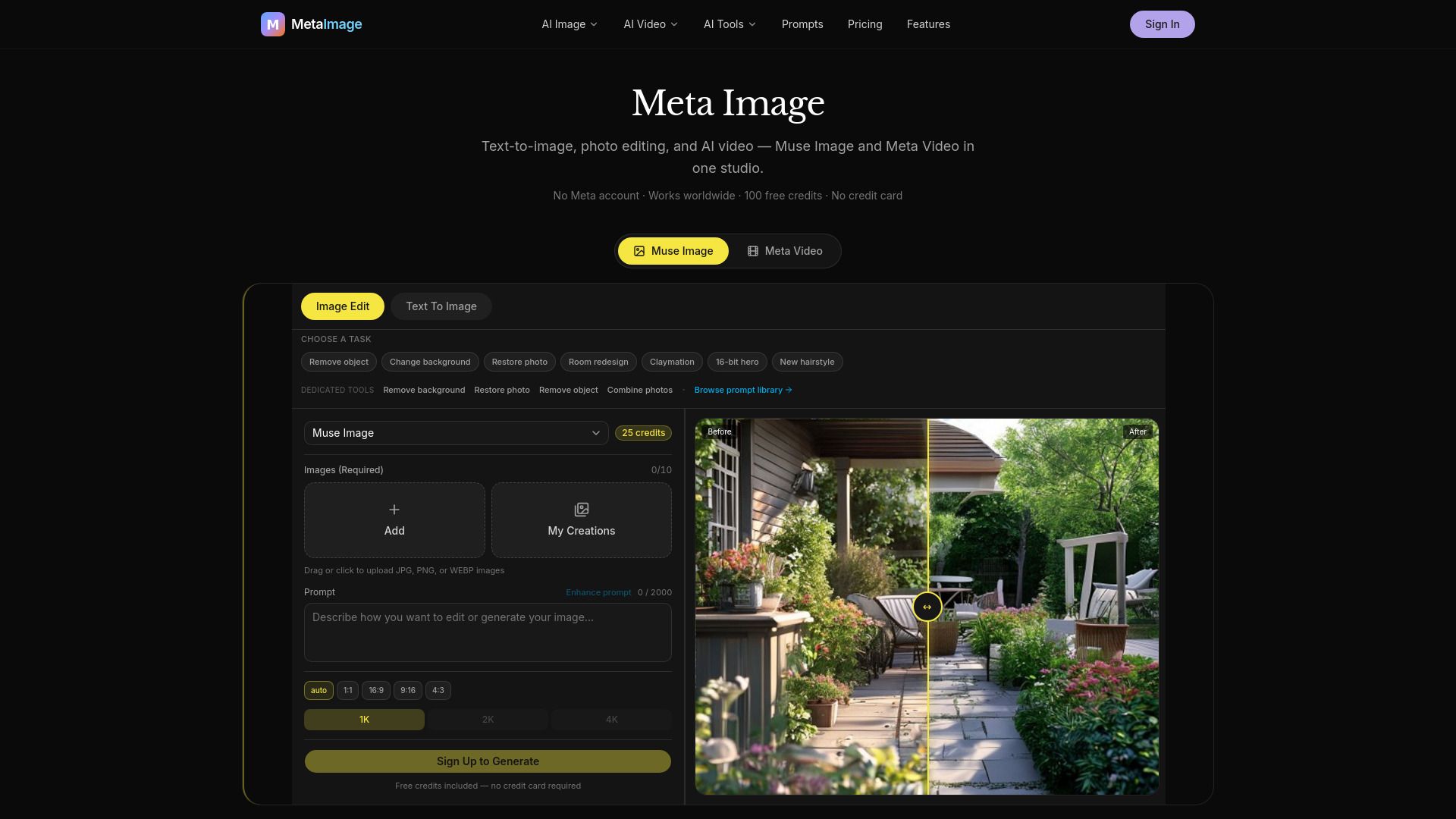
Meta Image is an independent platform that utilizes the Muse Image model to provide a range of functionalities for image creation and editing. Users can upload photos to edit them, combine multiple references into a single scene, or generate images from text descriptions, all within a user-friendly browser studio.
The platform offers several key capabilities, including:
Text to Image:
Generate visuals from scratch by describing the desired scene.
Image Editing:
Modify uploaded photos by changing backgrounds, removing objects, or restoring old pictures using natural language instructions.
Multi-Reference Composition:
Blend elements from multiple photos, such as people and products, into one coherent image.
Instruction Following:
Execute complex, multi-step prompts with greater fidelity than traditional single-pass generators.
One-Tap Task Presets:
Utilize ready-made prompts for various tasks like restoration and creative image generation.
Why Meta Image?
Meta Image offers a range of benefits that enhance the creative process for users looking to produce high-quality visuals. With its advanced capabilities, users can engage in natural-language photo editing, allowing them to easily describe changes they want to make, such as removing objects or swapping backgrounds. This intuitive approach simplifies the editing process and makes it accessible to everyone, regardless of their technical skills.
Additionally, Meta Image provides one-tap task presets that streamline the creative workflow. Users can quickly jump into projects with ready-made prompts, ensuring polished results with minimal effort. The platform excels in producing high-resolution outputs, making it ideal for both digital and print applications. Here are some key advantages of using Meta Image:
Natural-language editing for easy modifications.
Multi-photo composition for blending various elements into one image.
High-resolution outputs up to 4K for print-ready quality.
Task-first creative studio that focuses on real jobs and projects.
How to Use Meta Image
Getting started with Meta Image is simple and intuitive, allowing you to create stunning visuals with ease. To begin, upload your JPG, PNG, or WEBP photo and utilize the AI Background Remover feature, which automatically replaces the background without needing any prompts. Just click 'Create' and download your result to see the transformation.
Meta Image offers a variety of features to enhance your creative process:
Smart image generation: Describe your vision in plain English and receive a polished image in seconds.
Edit photos with words: Upload an image and specify changes like removing objects or swapping backgrounds.
Multiple models: Choose from various models like Muse Image and GPT Image 2 for tailored results.
One-tap presets: Start with templates for portraits, products, or room redesigns, then customize as needed.
Ready to see what Meta Image can do for you?and experience the benefits firsthand.
Key Features
How to Use
Visit the Website
Navigate to the tool's official website.
Pros & Cons
What's good
What's not good
Pricing
- 25 free credits
- No credit card required
- 2,500 credits / month
- ≈ 100 Muse Image 1K images / month
- Best for regular creators
- Text-to-image & image edit
- Failed jobs refunded
- 6,500 credits / month
- ≈ 260 Muse Image 1K images / month
- Daily creators & power users
- Higher monthly allowance
- All models available
- 700 credits
- ≈ 28 Muse Image 1K images
- No recurring charge
- Credits never expire
- All models available