About LLMDog
What is LLMDog?
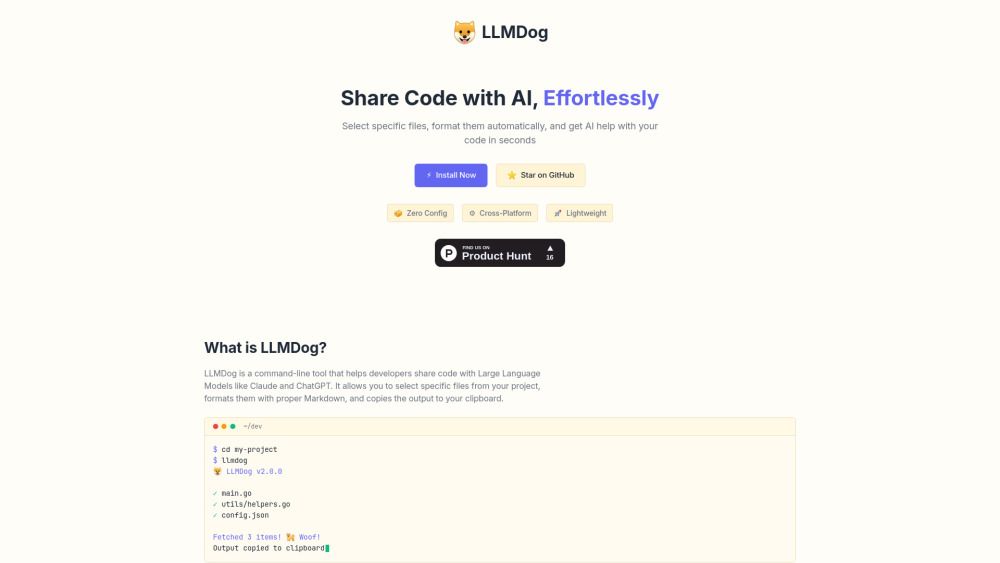
LLMDog is a command-line tool designed to assist developers in sharing code with Large Language Models (LLMs) such as Claude and ChatGPT. It simplifies the process of selecting specific files from a project, formatting them in proper Markdown, and copying the output directly to the clipboard, making it easier to work with multiple files.
Key features of LLMDog include:
Bookmarks: Save and reuse common file selections for quick access.
Content Search: Find files by the code they contain, not just by name.
Formatted Output: Code is properly formatted in Markdown with syntax highlighting.
LLMDog Features
LLMDog is a command-line tool designed to assist developers in sharing code with Large Language Models (LLMs) such as Claude and ChatGPT. It simplifies the process of selecting specific files from a project, formatting them in proper Markdown, and copying the output to the clipboard, making it easier to work with multiple files without the hassle of manual copying.
Key features and capabilities of LLMDog include:
Interactive interface that preserves the context of your code.
Bookmarks to save and reuse common file selections for quick access.
Content search functionality to find files by the code they contain, rather than just by name.
Formatted output with proper Markdown and syntax highlighting for better readability.
Why LLMDog?
LLMDog offers a streamlined solution for developers working with Large Language Models by simplifying the process of sharing code. Its interactive interface allows users to select specific files from their projects, ensuring that the context of the code is preserved while eliminating the tedious and error-prone task of manual copying and formatting.
Some of the key benefits of using LLMDog include:
Bookmarks for saving and reusing common file selections for quick access.
Content search functionality that allows users to find files based on the code they contain, rather than just by name.
Formatted output that ensures code is properly displayed in Markdown with syntax highlighting.
How to Use LLMDog
To get started with LLMDog, first install it using Homebrew by running the following commands in your terminal:
After installation, navigate to your project directory and simply run the commandllmdog. This will fetch the relevant files from your project, format them in Markdown, and copy the output to your clipboard for easy sharing.
Interactive interface for selecting files
Bookmarks for quick access to common file selections
Content search to find files by their code
Formatted output with syntax highlighting
Ready to see what LLMDog can do for you?and experience the benefits firsthand.
Key Features
How to Use
Visit the Website
Navigate to the tool's official website.
Pros & Cons
What's good
What's not good
LLMDog Traffic Analysis
Alternatives to LLMDog
Unibase Memory
Unibase Memory is a private, encrypted AI memory solution that allows users to save, search, and reuse their AI context seamlessly across multiple tools, including ChatGPT and Claude. Its key benefits include the ability to own and manage AI memory, enabling users to select and send only relevant context with a single click, thus enhancing efficiency and personalization in AI interactions.
Studocu Global
A platform for accessing shared study materials globally.

Suno
Suno is an innovative platform that enables users to create stunning original music in seconds using artificial intelligence. With its user-friendly interface, individuals can easily craft their own masterpieces, share them with friends, and explore a diverse range of music from artists around the globe. Suno empowers creativity for everyone, from casual singers to aspiring professionals.
Jotform AI Agents
Jotform AI Agents revolutionizes customer service by enabling businesses to respond instantly to customer inquiries anytime and anywhere. With its seamless integration capabilities and user-friendly interface, it enhances operational efficiency and improves customer satisfaction. This innovative solution empowers organizations to provide timely support, ensuring they stay connected with their clients effectively.
Miro
Miro is a powerful visual workspace designed to enhance collaboration and innovation among teams. With over 100 million users across 250,000 organizations, it streamlines product development processes, accelerates time to market, and ensures that new offerings align with customer needs. Miro's integration of AI tools empowers teams to effectively strategize, design, and manage projects throughout the entire innovation lifecycle.
Lovescape AI
Create Your AI Girlfriend for Chatting