About Imagecolorpicker
What is Imagecolorpicker?
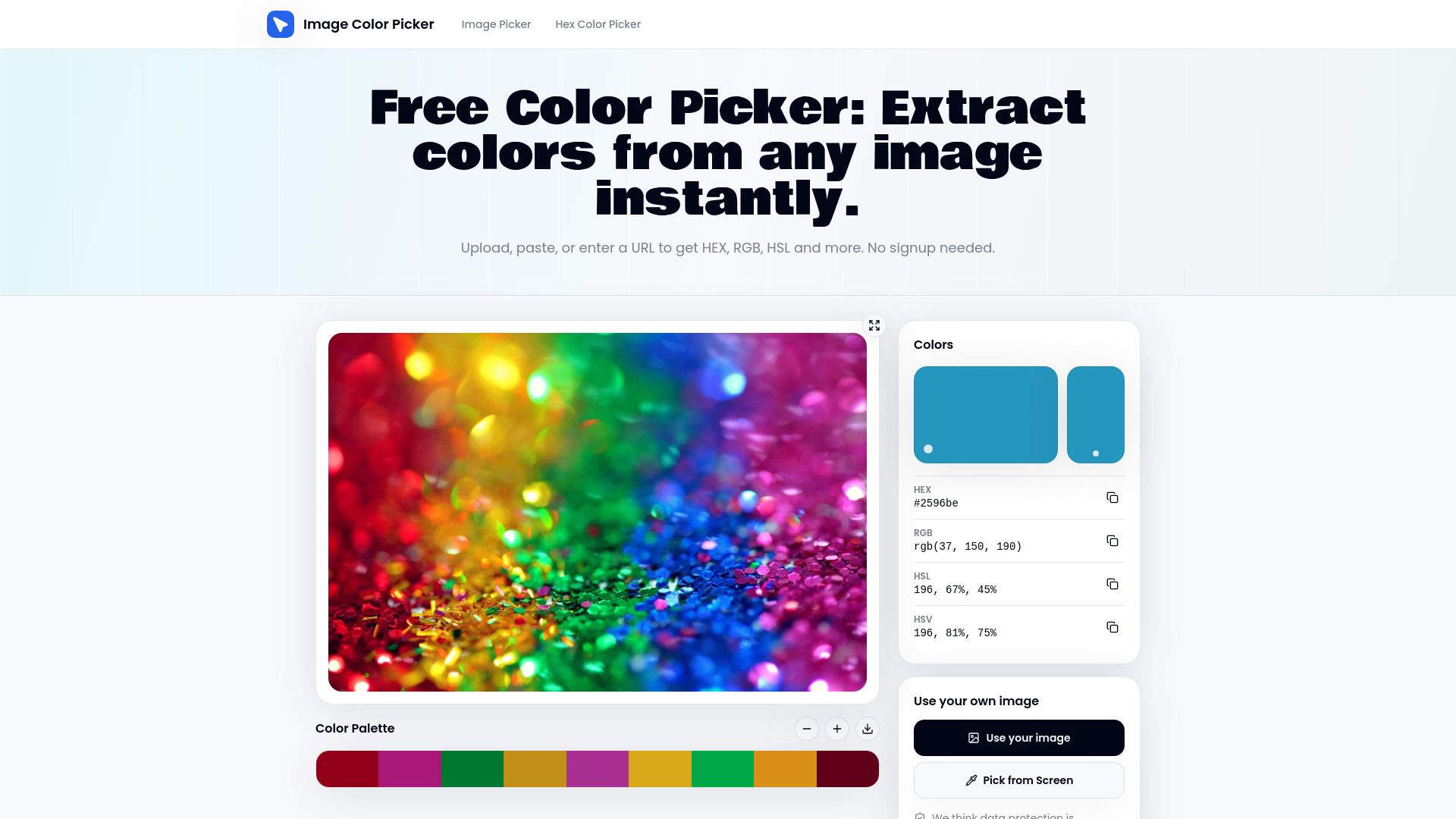
The Imagecolorpicker is a powerful tool designed to quickly and efficiently extract color codes from images. Users can upload any photo, screenshot, or paste a URL to instantly retrieve every color code in various formats, including HEX, RGB, HSL, and HSV. This tool operates entirely within the browser, ensuring that no data leaves the user's device, thus prioritizing privacy and security.
One of the standout features of the Imagecolorpicker is its ability to identify colors with a simple click. Users can click anywhere on the canvas to read the exact pixel value beneath the cursor, receiving multiple color formats simultaneously. This functionality makes it an essential tool for designers, developers, and anyone needing precise color information.
Instant Image Color Picker: Extract color codes from images in seconds.
Click to Identify Any Color: Get exact pixel values in multiple formats.
Color Detector for Every Format: Easily copy color values with one click.
Imagecolorpicker Features
The Imagecolorpicker is the fastest color picker from images, allowing users to upload any photo, screenshot, or paste a URL to extract every color code in seconds. This tool operates entirely within the browser, ensuring that no data leaves the user's device, which enhances privacy and security.
Key features of the Imagecolorpicker include:
Instant Image Color Picker:
Quickly extract color codes from images without any delays.
Click to Identify Any Color:
Users can click anywhere on the canvas to identify the exact pixel value, receiving HEX, RGB, HSL, and HSV values simultaneously.
Color Detector for Every Format:
Detect and copy colors in various formats with a single click, eliminating the need for manual entry.
Real-Time Color Preview:
Hover over the image to see color values update live before making a selection.
Offline Functionality:
The tool works without any API calls or server dependencies, making it reliable and efficient.
Why Imagecolorpicker?
The Imagecolorpicker offers a range of benefits that make it an essential tool for designers and artists alike. It allows users to upload any photo or screenshot and extract color codes in seconds, all within their browser. This means that no data leaves the user's device, ensuring privacy and security while working with images.
Some of the key advantages of using Imagecolorpicker include:
Instant color extraction from images, providing HEX, RGB, HSL, and HSV values simultaneously.
Easy color identification by clicking on any part of the image, making it user-friendly and efficient.
The ability to build and export color palettes, which is ideal for branding and design projects.
Offline functionality, allowing users to work without internet dependency.
How to Use Imagecolorpicker
The Image Color Picker is a powerful tool that allows you to extract color codes from any image quickly and easily. To get started, simply upload a photo, paste a URL, or use a screenshot. The tool works entirely in your browser, ensuring that no data leaves your device. Once your image is loaded, you can click anywhere on the canvas to identify the exact color beneath your cursor, receiving the HEX, RGB, HSL, and HSV values simultaneously.
Here are some key features to help you get started with the Image Color Picker:
Instant Image Color Picker:
Upload any photo or screenshot to extract color codes in seconds.
Click to Identify Any Color:
Use the color identifier to read pixel values directly from the image.
Color Detector for Every Format:
Detect and copy colors in HEX, RGB, HSL, and HSV formats with ease.
Ready to see what Imagecolorpicker can do for you?and experience the benefits firsthand.
Key Features
How to Use
Visit the Website
Navigate to the tool's official website.
Pros & Cons
What's good
What's not good
Pricing
- Basic features for hobbyists and beginners
- Monthly starter credits
- Watermark-free outputs
- 150 Videos
- 4 credits/5s
- For serious creators
- 450 Videos
- 12 credits/10s
- For professionals and agencies
- 1350 Videos
- For power users and studios
- Advanced features