About FLUX 3 Video
What is FLUX 3 Video?
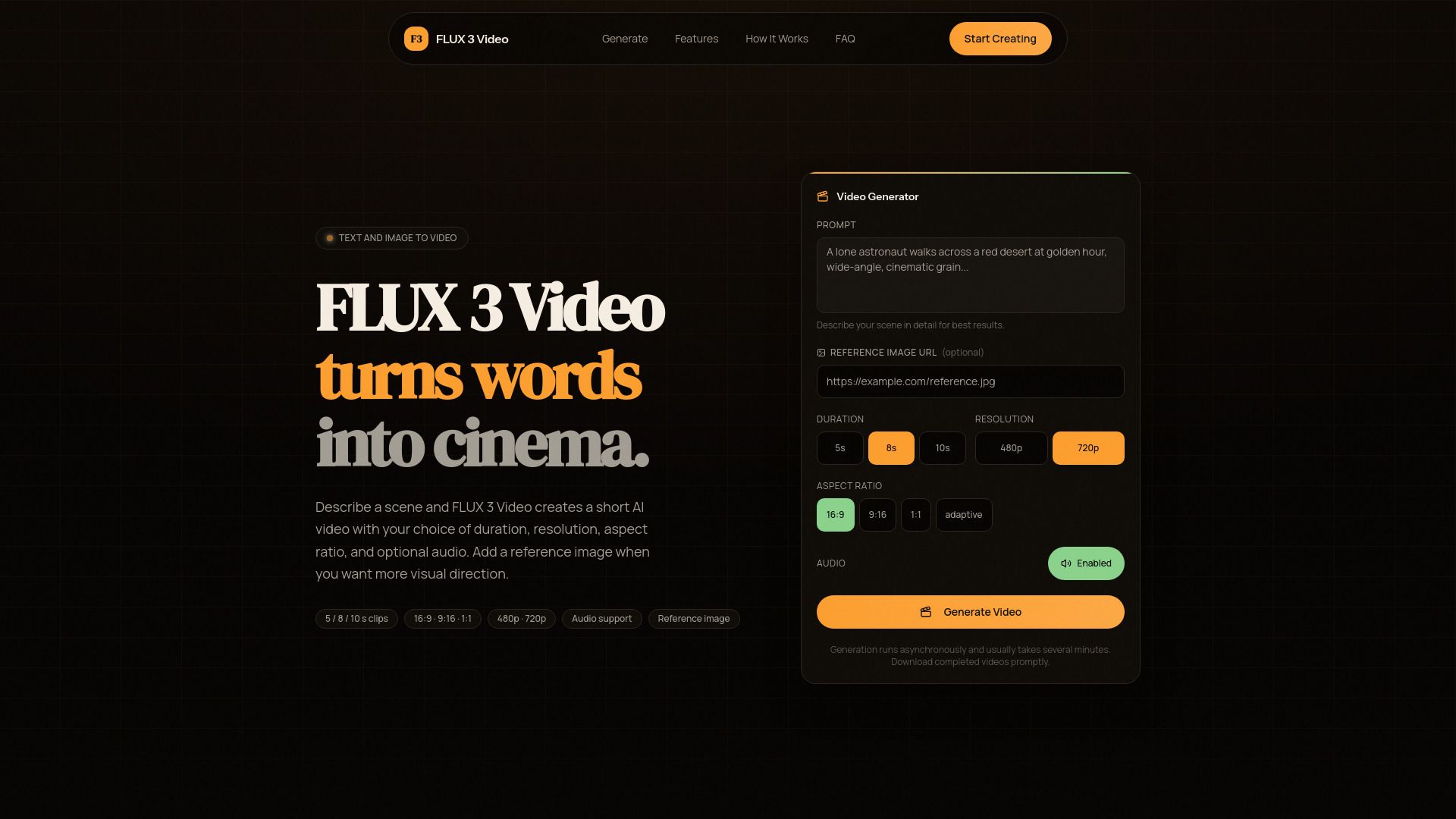
FLUX 3 Video is a browser-based AI video creator that transforms written scene descriptions into short videos. Users can enhance their videos by providing an optional reference image to guide the visual output.
Key features of FLUX 3 Video include:
Ability to generate videos from detailed prompts.
Options for video duration of 5, 8, or 10 seconds.
Support for various aspect ratios and resolutions.
Capability to animate reference images to influence the video's subject and composition.
Output formats of 480p and 720p with optional synchronized audio.
FLUX 3 Video Features
FLUX 3 Video is a browser-based AI video creator that transforms written scene descriptions into short videos. Users can enhance their video creation by uploading an optional reference image, which can guide the subject, composition, color, or visual direction of the generated clip.
To create a video with FLUX 3 Video, users need to write a detailed prompt, select a duration of 5, 8, or 10 seconds, choose an aspect ratio and resolution, and decide whether to include audio. The platform supports various video formats, including 480p and 720p output, and offers multiple aspect ratios such as 16:9, 9:16, and 1:1.
Transforms written descriptions into videos.
Supports optional reference images for enhanced guidance.
Offers video durations of 5, 8, or 10 seconds.
Provides multiple aspect ratios and resolutions.
Includes an option for synchronized audio.
Why FLUX 3 Video?
FLUX 3 Video is a powerful browser-based AI video creator that transforms written scene descriptions into short videos. This innovative tool allows users to enhance their video creation process by incorporating an optional reference image, which can guide the subject, composition, color, or visual direction of the generated clip.
Using FLUX 3 Video offers several advantages, making it an appealing choice for content creators:
Quick and easy video generation from text prompts.
Support for various video formats and resolutions, including 480p and 720p.
Ability to animate reference images for more tailored video outputs.
Flexible duration options of 5, 8, or 10 seconds to suit different needs.
Optional synchronized audio to enhance the viewing experience.
How to Use FLUX 3 Video
To get started with FLUX 3 Video, you need to write a detailed prompt that describes the scene you want to create. After that, choose a video duration of either 5, 8, or 10 seconds, select the desired aspect ratio and resolution, and decide if you want to generate audio. Once you have made these selections, submit your request, and the page will continuously check until your video is ready.
Additionally, FLUX 3 Video allows you to animate a reference image. You can upload one JPEG, PNG, WebP, or GIF image up to 4MB, which can help guide the subject, composition, color, or visual direction of the generated clip.
Supports video durations of 5, 8, or 10 seconds.
Offers various aspect ratios including 16:9, 9:16, and 1:1.
Generates videos in 480p and 720p resolutions.
Optional synchronized audio generation available.
Ready to see what FLUX 3 Video can do for you?and experience the benefits firsthand.
Key Features
How to Use
Visit the Website
Navigate to the tool's official website.