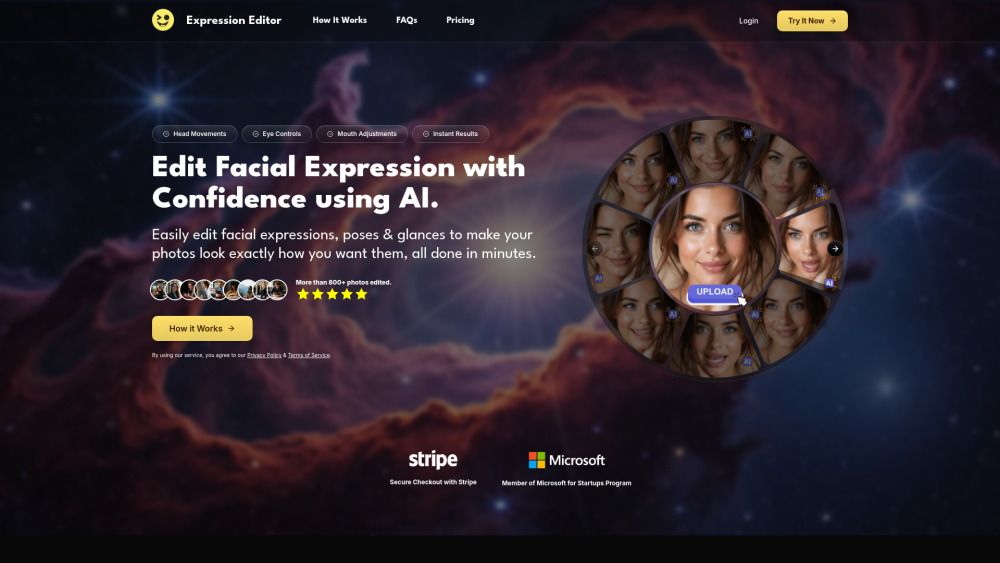
About Expression Editor
What is Expression Editor?
Expression Editor AI is a powerful tool designed to enhance your creative projects through advanced AI expression and animation features. It offers users the ability to communicate with their audience on a deeper, more sophisticated level, fostering trust and curiosity in a way that feels authentic. By utilizing the subtle controls of the AI editor, users can craft visuals that possess psychological depth, making their content stand out in a crowded landscape.
With Expression Editor AI, you can explore a range of features that allow for dynamic adjustments and engaging poses in your visuals. The platform is designed to be user-friendly, enabling even those with minimal experience to create compelling content effortlessly.
Flexible pricing plans with monthly and annual options.
AI-driven expression and animation capabilities.
Tools for creating engaging and natural poses.
Support for text prompts and video generation.
Expression Editor Features
The Expression Editor AI is designed to enhance content creation by allowing users to communicate with their audience on a deeper, more sophisticated level. It provides tools that help in crafting thumbnails and other visual elements with psychological depth, moving beyond simple emotional signals. This capability is essential for standing out in a crowded content landscape.
With the Expression Editor, users can adapt content for any platform efficiently, saving hours of time on reshoots while maintaining control over their brand's consistency and recognizability. This makes it an invaluable tool for modern micro-influencers who aim to work smarter, not just harder.
20+ Demos
200+ Tutorials
20+ Pricing Options
Why Expression Editor?
The Expression Editor offers numerous benefits that can significantly enhance your content creation process. By utilizing this powerful tool, you can save valuable time and effort, allowing you to focus on what truly matters—engaging with your audience and building your brand. The ability to adapt content for any platform ensures that your messaging remains consistent and recognizable, which is crucial in today's fast-paced digital landscape.
Some of the key advantages of using the Expression Editor include:
Increased efficiency in content creation, saving hours on reshoots.
Enhanced control over your brand's visual identity.
The ability to communicate with your audience on a deeper, more authentic level.
Tools to craft thumbnails and visuals with psychological depth, helping you stand out in a crowded market.
How to Use Expression Editor
Getting started with Expression Editor AI is straightforward and user-friendly. To begin, log into your Expression Editor AI account and navigate to the Face Edit feature. Upload a photo that features a single, clear face for the best results. Optionally, you can calibrate the face to a generic 3D model for a real-time preview of your adjustments, although this step can be skipped if preferred.
Once your photo is uploaded, you can access the Eye Controls by clicking on the "Eyes" tab in the settings panel. This will reveal all the adjustment controls for pupils, eyelids, and eyebrows. Use the joystick and sliders to make precise adjustments, and if you calibrated, the 3D model will provide directional guidance. When you're satisfied with your changes, simply click "Apply" to generate the final result.
Log into your account and upload a clear photo.
Optionally calibrate for a 3D preview.
Access Eye Controls to adjust pupils, eyelids, and eyebrows.
Use sliders for precise adjustments.
Click "Apply" to generate your edited photo.
Ready to see what Expression Editor can do for you?and experience the benefits firsthand.
Key Features
How to Use
Visit the Website
Navigate to the tool's official website.
Pros & Cons
What's good
What's not good
Pricing
- 500 Credits / Month
- Full Access to All Core Features
- Permanent Cloud Storage
- Unlimited Export
- 1,500 Credits / Month
- 3x Monthly Credits & Advanced Settings
- Permanent Cloud Storage
- Unlimited Export
- 500 Credits / Month
- Full Access to All Core Features
- Permanent Cloud Storage
- Unlimited Export
- 1,500 Credits / Month
- 3x Monthly Credits & Advanced Settings
- Permanent Cloud Storage
- Unlimited Export
Expression Editor Traffic Analysis
Frequently Asked Questions
Alternatives to Expression Editor
Studocu Global
A platform for accessing shared study materials globally.

Suno
Suno is an innovative platform that enables users to create stunning original music in seconds using artificial intelligence. With its user-friendly interface, individuals can easily craft their own masterpieces, share them with friends, and explore a diverse range of music from artists around the globe. Suno empowers creativity for everyone, from casual singers to aspiring professionals.
Jotform AI Agents
Jotform AI Agents revolutionizes customer service by enabling businesses to respond instantly to customer inquiries anytime and anywhere. With its seamless integration capabilities and user-friendly interface, it enhances operational efficiency and improves customer satisfaction. This innovative solution empowers organizations to provide timely support, ensuring they stay connected with their clients effectively.
Lovescape AI
Create Your AI Girlfriend for Chatting

Manus
Manus is a versatile AI agent designed to transform thoughts into actions, streamlining tasks in both professional and personal settings. Its primary value lies in its ability to manage various responsibilities efficiently, allowing users to relax while it handles their to-do lists. With Manus, users can experience increased productivity and peace of mind, knowing that their tasks are being completed seamlessly.
HealCycle
HealCycle is a comprehensive app designed to support individuals dealing with hormonal imbalances, mood swings, and symptoms of PMS or PMDD. It offers personalized symptom insights and science-backed resources, along with a 24/7 AI companion for emotional support, empowering users to take control of their health journey. With HealCycle, users can gain valuable knowledge and tools to enhance their well-being and manage their cycles effectively.