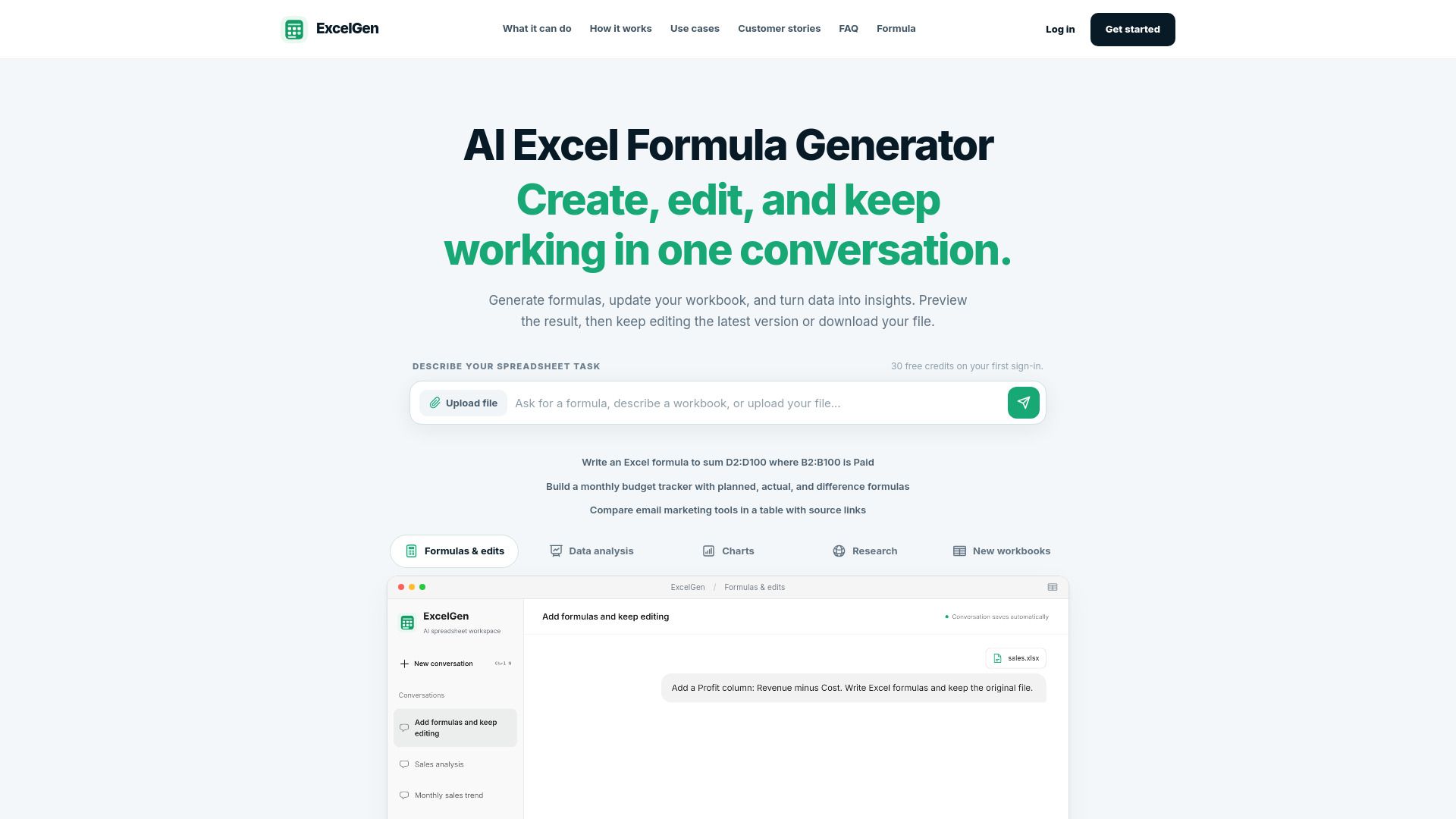
About ExcelGen | AI Excel Formula Generator & Spreadsheet Assistant
What is ExcelGen | AI Excel Formula Generator & Spreadsheet Assistant?
ExcelGen is an AI-powered spreadsheet workspace designed to facilitate the creation, analysis, and transformation of workbooks using natural language. It allows users to generate and edit Excel formulas seamlessly, turning complex data into actionable insights. With ExcelGen, users can upload their workbooks, describe their spreadsheet tasks, and receive real-time assistance in generating the necessary formulas.
The platform offers a user-friendly experience where users can preview results, make edits, and download their files. Key features of ExcelGen include:
Natural language processing for easy formula generation.
Real-time updates and progress tracking as tasks are completed.
Ability to insert and save formulas directly into workbooks.
Support for a variety of Excel functions, including IF, SUMIFS, and XLOOKUP.
ExcelGen | AI Excel Formula Generator & Spreadsheet Assistant Features
ExcelGen is an AI-powered spreadsheet workspace designed to simplify the creation, analysis, and transformation of workbooks using natural language. Users can generate and edit formulas, update their workbooks, and derive insights from data seamlessly. The platform allows for real-time collaboration, enabling users to preview results and make adjustments as needed, ensuring that the latest version of their work is always accessible.
Key features and capabilities of ExcelGen include:
Natural language processing for generating and explaining complex Excel formulas like IF, SUMIFS, and XLOOKUP.
Real-time progress tracking as users describe their spreadsheet tasks and upload workbooks.
Ability to insert formulas directly into supported workbooks and save results as new versions.
Exporting charts as PNG images for easy sharing and presentation.
Flexible credit plans to accommodate varying spreadsheet workloads, starting with 30 free credits upon sign-in.
Why ExcelGen | AI Excel Formula Generator & Spreadsheet Assistant?
ExcelGen offers a powerful AI-driven solution for generating and managing Excel formulas, making it an invaluable tool for users looking to streamline their spreadsheet tasks. With its ability to create, edit, and analyze workbooks through natural language, ExcelGen simplifies complex calculations and data manipulations, allowing users to focus on insights rather than formula syntax.
Some of the key benefits of using ExcelGen include:
Effortless formula generation and editing through conversational input.
Real-time progress tracking as the AI processes data and prepares results.
Integration of charts and analysis within the same workspace for easier review and reuse.
Accessibility for users of all skill levels, from beginners to advanced spreadsheet users.
How to Use ExcelGen | AI Excel Formula Generator & Spreadsheet Assistant
Getting started with ExcelGen is simple and intuitive. To begin, you can sign up and receive 30 free credits on your first sign-in, allowing you to explore the features without any initial investment. Once you're logged in, you can either upload an existing workbook or start with a new idea for a spreadsheet. Simply describe the task you need help with, and ExcelGen will assist you in generating the necessary formulas and insights.
As you work with ExcelGen, the process unfolds in three easy steps. First, tell ExcelGen what you need by uploading your workbook and describing the changes or results you want. Next, follow the progress as ExcelGen reads your data and prepares the results, asking for any missing information along the way. Finally, you can preview the generated formulas and make edits as needed before downloading your updated file.
30 free credits on first sign-in
Upload existing workbooks or start new projects
Real-time progress tracking and updates
Preview and edit generated formulas before downloading
Ready to see what ExcelGen | AI Excel Formula Generator & Spreadsheet Assistant can do for you?and experience the benefits firsthand.
Key Features
How to Use
Visit the Website
Navigate to the tool's official website.
Pros & Cons
What's good
What's not good
Pricing
- 30 one-time credits
- Write formulas into your spreadsheet
- Edit your spreadsheet by chatting
- Export charts as PNG images
- Files available for 7 days
- 1,200 credits / month
- Write formulas into your spreadsheet
- Edit your spreadsheet by chatting
- Export charts as PNG images
- Files available for 90 days
- 4,000 credits / month
- Uploads up to 20 MB
- Write formulas into your spreadsheet
- Edit your spreadsheet by chatting
- Files available for 365 days