About EasyFaceSwap
What is EasyFaceSwap?
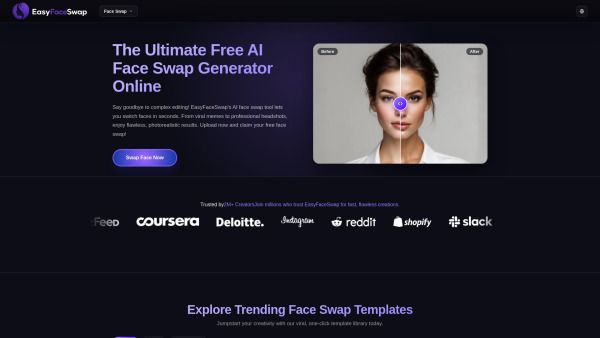
EasyFaceSwap is an advanced AI-powered face swap generator that allows users to effortlessly replace faces in photos and videos. With its user-friendly interface, creators can achieve photorealistic results in just seconds, making it ideal for everything from viral memes to professional headshots. The tool automatically analyzes facial geometry, matches skin tones, and preserves the original character's expressions and lighting, ensuring high-quality outputs.
Key features of EasyFaceSwap include:
Completely free to use, empowering everyday users to create high-quality face swaps.
Supports all standard web image formats, including JPG, JPEG, PNG, and WebP.
Fast processing time, generating results in under five seconds.
No watermarks on downloaded images, allowing for clean, ready-to-post visuals.
Strong focus on user privacy, with encrypted data transmissions and automatic deletion of uploaded media.
EasyFaceSwap Features
EasyFaceSwap is an advanced AI-powered visual generator that allows users to seamlessly replace faces in photos and videos. It automatically analyzes facial geometry, matches skin tones, and preserves the original character's authentic expressions and lighting, ensuring photorealistic results. With a user-friendly drag-and-drop interface, the tool requires no prior experience, making it accessible for everyone from casual users to professional creators.
The platform supports a variety of image formats, including JPG, JPEG, PNG, and WebP, allowing users to upload high-resolution files directly from their devices. EasyFaceSwap is completely free, empowering users to create high-quality face swaps without any cost. Additionally, it features a library of trending templates that users can utilize to jumpstart their creativity and participate in viral content creation.
AI-powered face swapping with photorealistic results
Automatic facial geometry analysis and skin tone matching
Supports multiple image formats (JPG, JPEG, PNG, WebP)
User-friendly drag-and-drop interface
Free to use with no tedious setup required
Access to a library of trending templates for creative projects
Why EasyFaceSwap?
EasyFaceSwap offers a range of benefits that make it the ideal choice for creators looking to enhance their visual content. With its user-friendly interface and advanced AI technology, users can effortlessly swap faces in photos and videos, producing high-quality, photorealistic results in just seconds. This tool is perfect for various applications, from creating engaging memes to updating professional headshots, ensuring that creativity is accessible to everyone.
Some key advantages of using EasyFaceSwap include:
Completely free face swapping, allowing users to experience professional-grade transformations without any cost.
Support for all standard web image formats, ensuring maximum flexibility for users.
Ultra-precise facial alignment and preservation of micro-expressions, resulting in authentic-looking images.
An extensive collection of templates to jumpstart creativity and engagement.
How to Use EasyFaceSwap
Getting started with EasyFaceSwap is a breeze! To swap faces in photos, simply follow these three easy steps: first, upload your target base photo. Next, upload the source image that contains the face you want to use. Finally, click the generate button, and within five seconds, our advanced AI will blend the images seamlessly, preserving the original lighting and facial expressions.
EasyFaceSwap is designed for everyone, making it accessible and user-friendly. Here are some key features that enhance your experience:
100% watermark-free downloads for your creations.
Supports all standard web image formats including JPG, JPEG, PNG, and WebP.
Fast processing time, generating results in just five seconds.
Privacy protection with automatic deletion of uploaded media.
Ready to see what EasyFaceSwap can do for you?and experience the benefits firsthand.
Key Features
How to Use
Visit the Website
Navigate to the tool's official website.