About CrewTower
What is CrewTower?
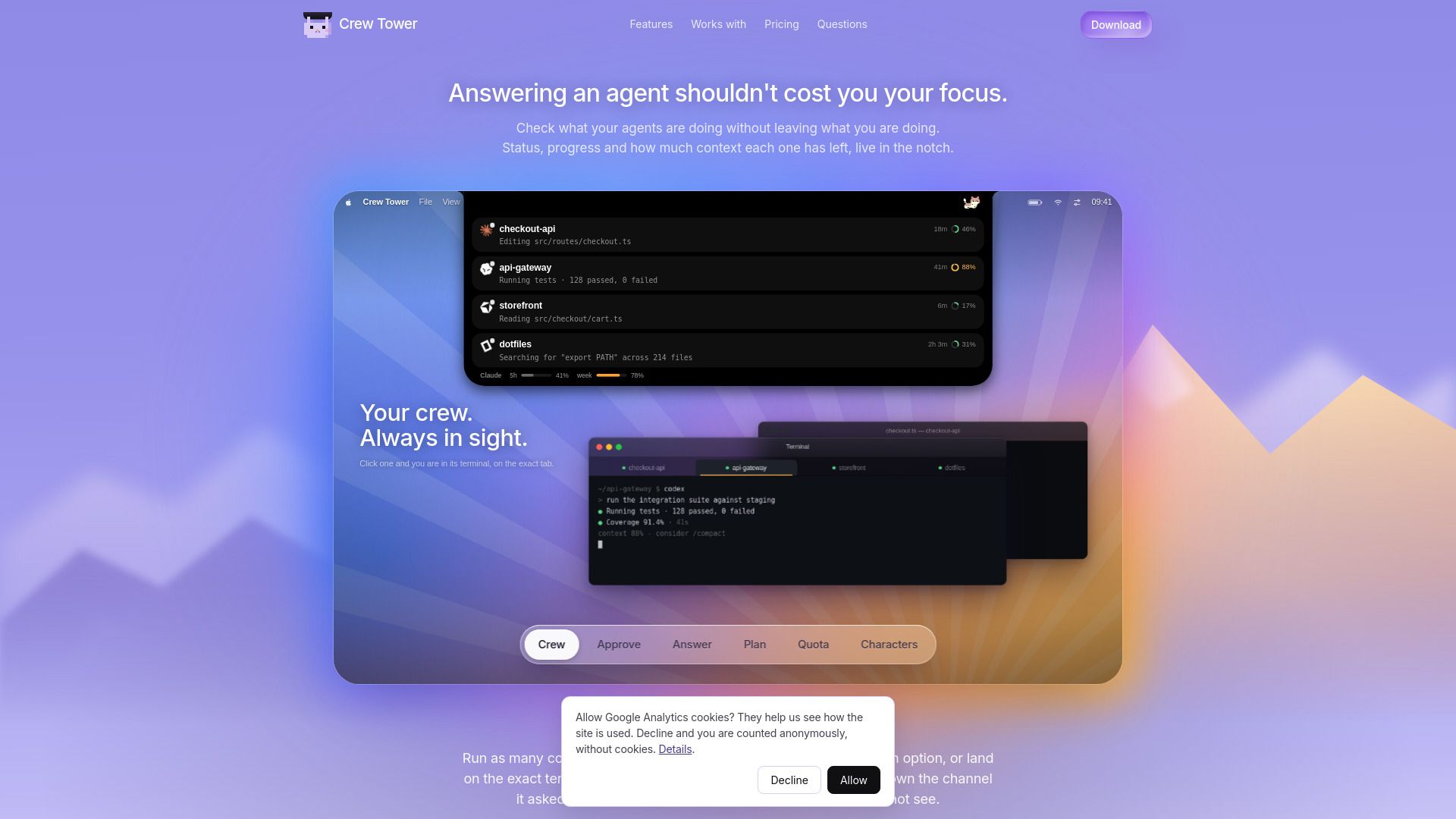
CrewTower is a productivity tool designed to enhance your workflow by allowing you to manage multiple coding agents seamlessly. It provides a user-friendly interface that keeps you informed about the status and progress of your agents without disrupting your current tasks. With CrewTower, you can easily monitor what your agents are doing, how much context they have left, and respond to their requests directly from the application.
Key features of CrewTower include:
Run multiple coding agents simultaneously.
Receive real-time updates on agent status and progress.
Interact with agents without switching windows or losing focus.
Lightweight application under 5 MB, compatible with macOS 15 or later.
One-time purchase with a money-back guarantee.
CrewTower Features
CrewTower is designed to enhance the productivity of coding agents by providing a seamless interface that allows users to monitor their agents without losing focus on their primary tasks. It displays the status, progress, and context of each agent in a convenient notch, enabling users to stay informed while working on other projects.
Key features of CrewTower include:
Real-time visibility into agent activities, including session names and request durations.
Support for multiple coding agents, allowing users to approve commands and manage options efficiently.
No keystroke paths, ensuring that decisions are communicated securely over local sockets.
Privacy-focused design, with no code or prompts leaving the user's machine.
Why CrewTower?
CrewTower offers a unique solution for managing coding agents without losing focus. By allowing users to monitor the status and progress of their agents directly within their workflow, CrewTower enhances productivity and minimizes distractions. This seamless integration ensures that users can respond to agent queries without interrupting their current tasks.
Some of the key benefits of using CrewTower include:
One-time purchase with no subscription fees, making it cost-effective.
All features included with updates at no additional cost.
Easy installation under 5 MB, ensuring quick access and usability.
30-day money-back guarantee, providing peace of mind for new users.
How to Use CrewTower
To get started with CrewTower, simply download the application for Mac and install it. Once installed, you can open the app, which will prompt you for a key when you're ready to begin. The setup is straightforward, and you can start using the features immediately without any subscription fees, as it is a one-time purchase.
CrewTower allows you to manage multiple coding agents efficiently. You can check the status, progress, and context of each agent directly from the app without losing focus on your current tasks. Here are some key features to help you get started:
Run multiple coding agents simultaneously.
Receive answers directly back through the channel without typing into unseen windows.
Monitor agent activity live in the notch for seamless multitasking.
Ready to see what CrewTower can do for you?and experience the benefits firsthand.
Key Features
How to Use
Visit the Website
Navigate to the tool's official website.
Pros & Cons
What's good
What's not good
Pricing
- One license for one Mac
- Every feature included
- Updates included, no upgrade fee
- 30 days money back guarantee