
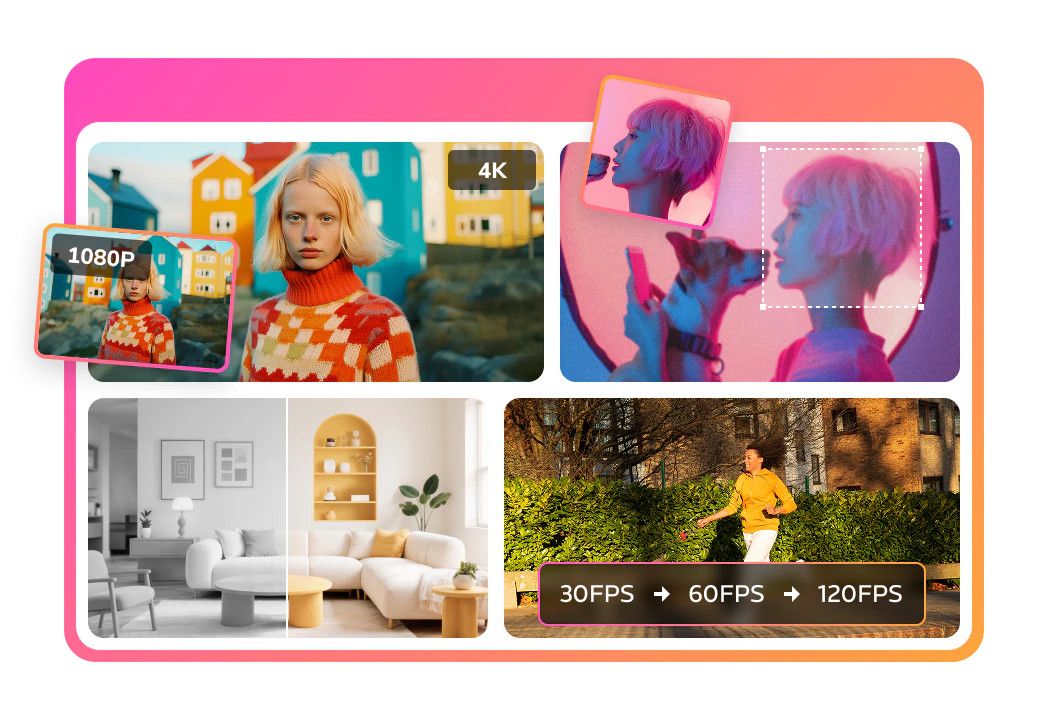
About Any Video Converter AI Video Enhancer
What is Any Video Converter AI Video Enhancer?
Any Video Converter AI Video Enhancer is designed to significantly improve overall video quality, offering enhancements of up to 400% and support for 4K resolution. This tool utilizes advanced AI algorithms to enhance video content, making it a powerful option for users looking to elevate their video projects.
Key features of Any Video Converter AI Video Enhancer include:
AI-powered enhancements for superior video quality.
Ability to preview enhancements with a single click, allowing users to compare different effects easily.
AI trimmer that accurately identifies and removes unwanted footage while preserving core content.
Upscaling of resolution, optimization of color contrast, and noise reduction for sharper and brighter videos.
Any Video Converter AI Video Enhancer Features
Any Video Converter AI Video Enhancer is designed to significantly improve video quality, offering enhancements of up to 400% and supporting 4K resolution. This tool utilizes advanced AI algorithms to enhance the overall viewing experience, making it a valuable option for users looking to upgrade their video content.
While it may not have as many specialized features as some competitors, such as AVCLabs Video Enhancer AI, Any Video Converter AI Video Enhancer still provides essential capabilities for video enhancement. Users can benefit from the following features:
Improvement of video quality up to 400%
Support for 4K video resolution
AI-powered enhancements for better visual output
Why Any Video Converter AI Video Enhancer?
Any Video Converter AI Video Enhancer offers significant benefits for users looking to improve their video quality. With enhancements up to 400% and support for 4K resolution, it allows users to transform low-quality videos into professional-looking content. The AI-powered program utilizes advanced algorithms to upscale resolution, optimize color contrast, and reduce noise, resulting in sharper and brighter videos.
Additionally, the software features an intuitive interface that enables users to preview enhancements with a single click, making it easy to switch between different options before finalizing their choice. The AI trimmer also enhances the editing experience by accurately identifying and trimming unwanted footage, ensuring that the core content remains intact while applying quality improvements.
Enhancements up to 400% and 4K resolution support
AI-powered algorithms for superior video quality
Intuitive preview feature for easy adjustments
Accurate AI trimmer for removing unwanted footage
How to Use Any Video Converter AI Video Enhancer
To get started with the Any Video Converter AI Video Enhancer, first, launch the application and open the AI Video Enhancer feature. Begin by clicking "Add Files" to upload your low-resolution video that you wish to enhance.
Next, you can choose your output options. The program allows you to enhance the video quality from 100% to 400%, or upgrade from 1080P to 4K. If you're uncertain about which enhancement option to select, utilize the "Preview Enhanced Frame" feature to view the effects before finalizing your choice. Once you're satisfied with your selections, simply click the "Enhance Now" button and wait for the high-quality output file to be generated.
Ready to see what Any Video Converter AI Video Enhancer can do for you?and experience the benefits firsthand.
Key Features
How to Use
Visit the Website
Navigate to the tool's official website.