About AI Box Plot Generator
What is AI Box Plot Generator?
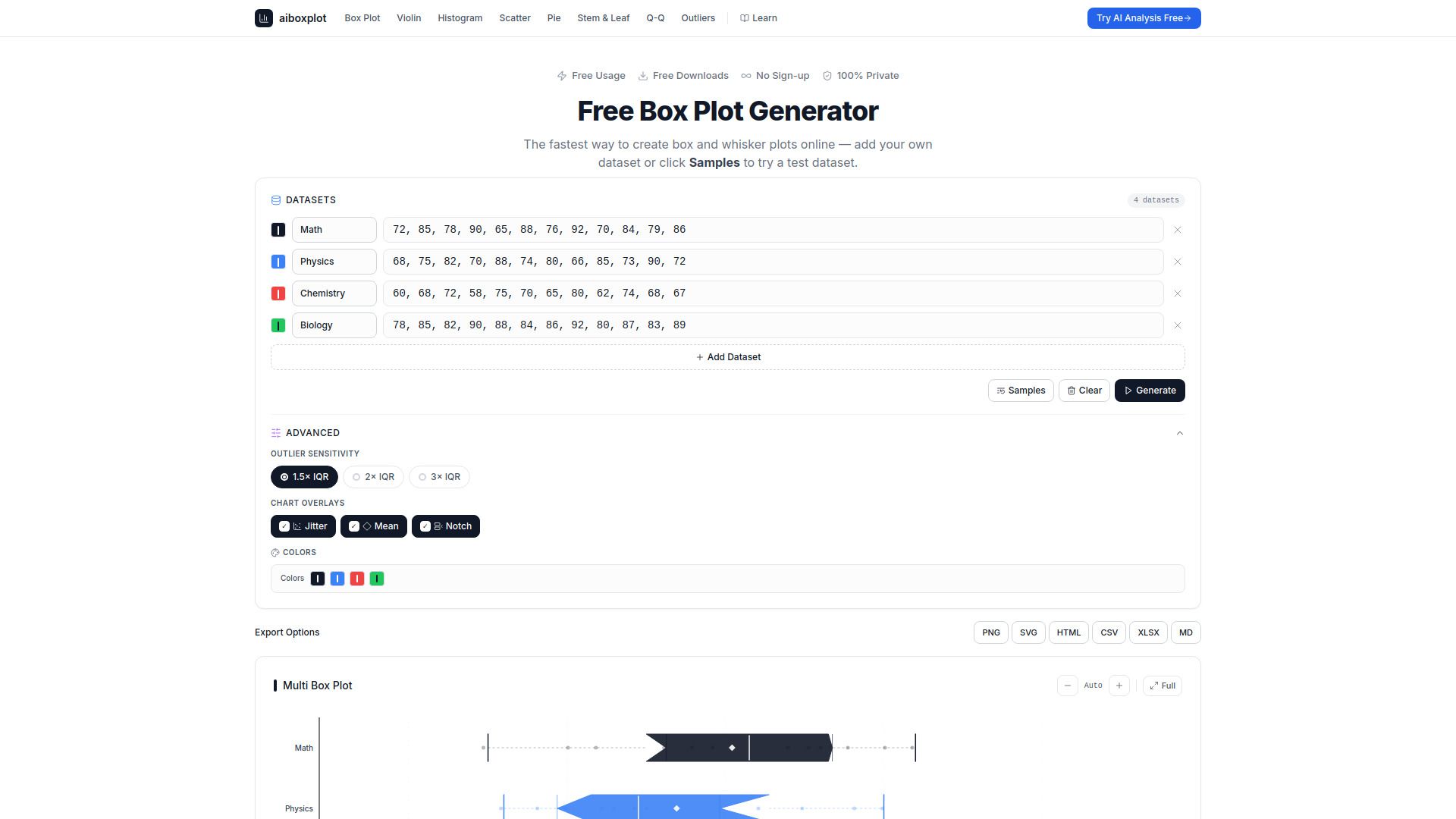
The AI Box Plot Generator is a powerful tool designed to create box and whisker plots instantly, leveraging AI analysis for enhanced data visualization. This web application allows users to perform multi-dataset comparisons and detect outliers effectively. With no sign-up required, it offers a user-friendly experience for anyone looking to visualize their data quickly and efficiently.
Key features of the AI Box Plot Generator include:
Instant creation of box and whisker plots with AI analysis.
Multi-dataset comparison for comprehensive data insights.
Outlier detection using Tukey's IQR-based fences method.
Export options available in PNG, SVG, CSV, and XLSX formats.
Free to use with no account creation, ads, or data collection.
AI Box Plot Generator Features
The AI Box Plot Generator is a powerful tool designed to create box and whisker plots instantly, leveraging AI analysis for enhanced data visualization. It allows users to compare multiple datasets, detect outliers, and export results in various formats including PNG, SVG, CSV, and XLSX. This application is accessible to all users without the need for sign-up, making it a convenient option for anyone needing to visualize data quickly and effectively.
Key features and capabilities of the AI Box Plot Generator include:
Instant creation of box and whisker plots with AI analysis.
Multi-dataset comparison for comprehensive data insights.
Outlier detection using Tukey's IQR-based fences method.
Export options to PNG, SVG, CSV, and XLSX formats.
No software installation required; works directly in the browser.
Free to use with no ads or data collection.
Why AI Box Plot Generator?
The AI Box Plot Generator offers numerous benefits for users looking to visualize data effectively. It allows for the quick creation of publication-quality box and whisker plots without the need for coding or complex software installations. Users can simply paste their data into the tool, and it instantly computes the five-number summary, identifies outliers, and generates a clean SVG chart that can be exported in various formats.
Some key advantages of using the AI Box Plot Generator include:
Instant Comparisons:
Easily compare multiple datasets side by side to analyze medians, spreads, and outliers.
Privacy and Security:
All computations are performed locally in the browser, ensuring that data is never uploaded or shared.
Accessibility:
The tool is free to use, requires no sign-up, and is compatible with all operating systems.
Educational Use:
Ideal for students and educators for homework, assignments, and classroom demonstrations.
How to Use AI Box Plot Generator
Getting started with the AI Box Plot Generator is simple and user-friendly. To create your first box and whisker plot, simply visit the website and input your dataset directly into the provided interface. The tool allows for multi-dataset comparisons, making it easy to visualize and analyze different sets of data side by side. Once your data is entered, the generator will automatically create the box plot, highlighting key statistics such as the median, quartiles, and any outliers.
Here are some features and benefits of using the AI Box Plot Generator:
Instant creation of box and whisker plots with AI analysis.
Multi-dataset comparison for comprehensive data visualization.
Outlier detection using Tukey's IQR-based fences method.
Export options available in PNG, SVG, CSV, and XLSX formats.
No sign-up required, ensuring privacy and ease of access.
Ready to see what AI Box Plot Generator can do for you?and experience the benefits firsthand.
Key Features
How to Use
Visit the Website
Navigate to the tool's official website.